Free VIN Decoder: How to Use a VIN to Find the Right Parts
Two cars with the same year, make, and model can still need different parts. A VIN decoder resolves the build-level differences that generic fitment search misses.
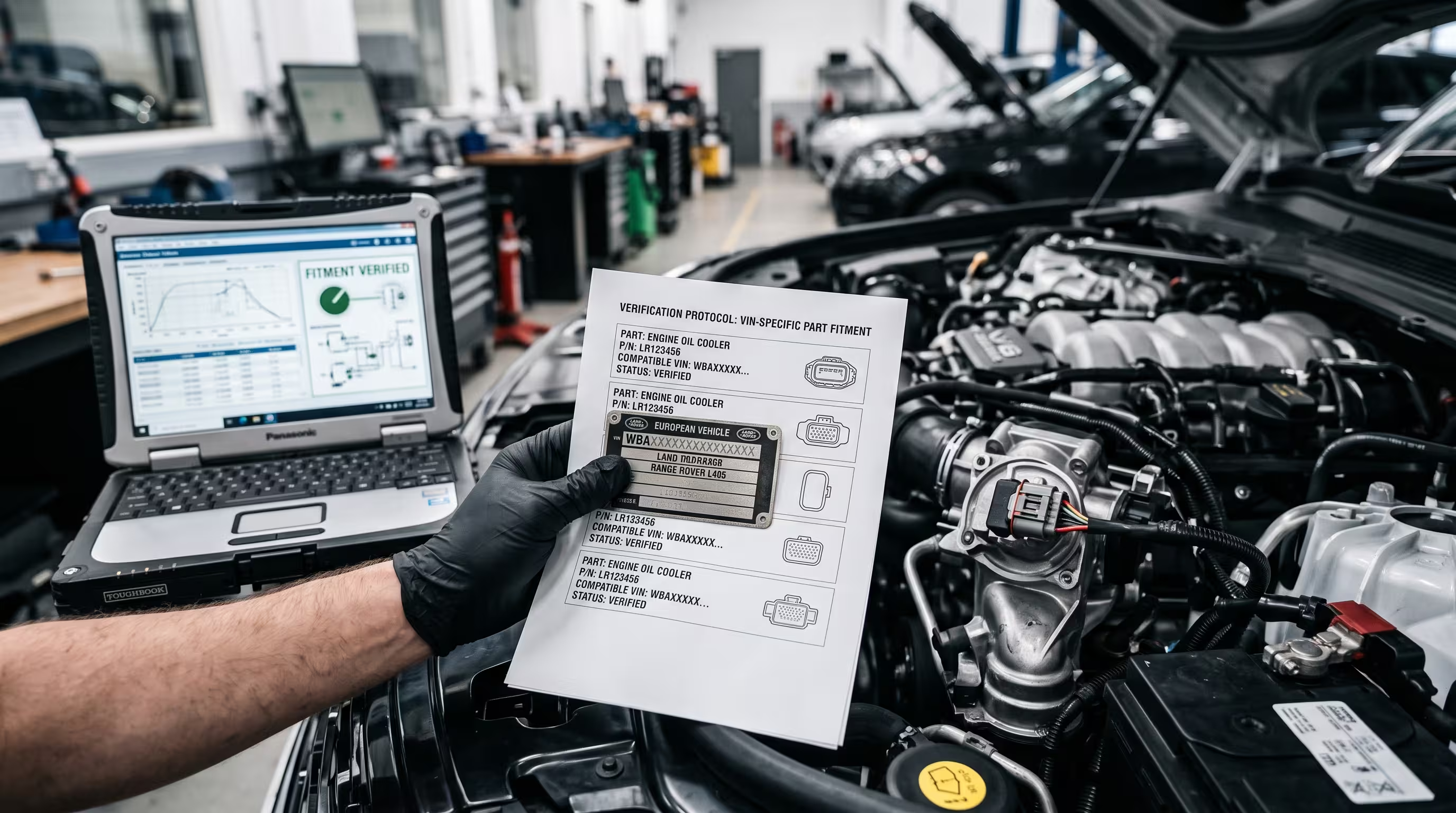
How to use a free VIN decoder to find parts that fit: where to find your VIN, what each part of it means, and why it beats searching by year, make and model. It is written for buyers, DIYers, and workshops who want clearer technical context, more reliable fitment checks, and fewer avoidable mistakes.
Have your VIN to hand? Decode it now to see the make, model, year and engine before you compare part numbers.
Open the free VIN decoderIn this guide
Why year, make, and model aren't enough
Two vehicles with an identical year/make/model listing can leave the factory with different engines, drivetrains, and option-dependent parts.
A generic year/make/model filter treats every 2019 example of a given model as identical. In reality, the same model year can ship with multiple engine displacements, transmission types, drivetrain layouts (front, rear, all-wheel), and regional emissions equipment - any one of which can change what actually bolts on. Brake calipers, sensors, engine mounts, and exhaust components in particular are frequently split across trims and engine codes that share a single model-year listing.
Industry fitment data backs this up directly: VIN-based lookup has been shown to cut incorrect-part orders by roughly 40% compared to year/make/model search alone, because the VIN encodes the build-level detail that a model-year filter simply doesn't carry. For a buyer, that gap shows up as a part that looks right on the listing photo but doesn't match the mounting points, connector, or spec on the actual car.
- Model year alone doesn't capture engine code, transmission, or drivetrain variants.
- Emissions and regional spec differences can affect exhaust, sensor, and filter part numbers.
- Wrong-part returns cost more in time than the price difference the search saved.
What a VIN actually encodes
The 17-character VIN is a structured code, not a random serial number - several positions map directly to build specification.
A VIN is split into three blocks: the World Manufacturer Identifier (positions 1-3, identifying the manufacturer and region), the Vehicle Descriptor Section (positions 4-8, which typically encodes body style, engine type, and restraint system), and the Vehicle Identifier Section (positions 9-17, which includes a check digit, model year, plant code, and the sequential production number). Position 10 specifically maps to model year, and position 8 is commonly the engine code on many manufacturers' schemes.
A decoder reads these positions against the manufacturer's published or reverse-engineered schema and returns structured fields - make, model, year, trim, engine, drivetrain, and body class - instead of leaving you to interpret the raw string yourself. That structured output is what makes VIN-based fitment matching possible: it gives a parts catalog something concrete to filter against beyond a model name.
- The VIN is on the driver's side dashboard (visible through the windshield) and on the door jamb sticker.
- It's also printed on the vehicle registration and insurance documents.
- A decoder turns the 17-character string into make/model/year/engine/trim fields automatically.
Using MotorVault's VIN decoder to shop by build spec
Decode once, then filter the catalog against your exact vehicle instead of a generic model listing.
MotorVault's VIN decoder (available at /vin-decoder) takes your 17-character VIN, decodes it to your vehicle's year, make, model, trim, engine, and body class, and then matches that build spec against the product catalog directly - surfacing parts filtered to your actual car rather than everything listed under the model name. That closes most of the gap a plain year/make/model search leaves open, particularly for engine-dependent components like sensors, exhaust sections, and mounts.
It's still worth a final visual check against the failed part before ordering, especially for connector types and bracket orientation on parts that have been running production changes mid-model-year - a VIN narrows the field dramatically, but on a handful of components the manufacturer itself has made a running change within a single build spec. Photos of the original part solve that last gap when a listing offers a build-spec match but doesn't explicitly list every superseded part number.
- Find your VIN on the driver's-side dash or door jamb sticker.
- Enter it once at /vin-decoder to get your build spec and matching parts.
- Cross-check bracket/connector shape against your old part for components with known mid-year running changes.
Related site resources
These links point to supporting resources such as FAQs, category references, and contact forms when extra context is useful.
FAQ
Is a VIN decoder free?
Yes. Basic VIN decoding, which identifies the year, make, model, engine and factory, is free from the NHTSA and from MotorVault's VIN decoder. Paid vehicle history reports are a different service.
Is it safe to enter my VIN online?
Generally yes. A VIN identifies the vehicle, not the owner, and it is visible through your windshield. Decoding it reveals the car's specification, not personal information.
Where do I find my VIN?
Look through the windshield at the driver's side of the dashboard, or check the sticker on the driver's door jamb. It's also printed on your registration and insurance card.
Does a VIN decoder guarantee the part will fit?
It gets you to the correct build spec (engine, trim, drivetrain), which resolves most fitment errors from generic model search. For components with known mid-year running changes, a quick photo comparison against the original part is still worth doing.
Is VIN-based search better than searching by license plate?
Yes for cross-border or resale shopping - the VIN is a fixed, standardized code tied to the vehicle itself, while plate-based lookups depend on a regional registration database that may not be accessible or accurate outside its home market.